What it is
A Raycast extension that controls the Sonos speakers in my home. I change the volume and pick the rooms that play, and my hands stay on the keyboard.
Why
I could not control my Sonos speakers easily from my laptop. The Sonos app is slow to open, and the volume keys on the Mac do nothing for the speakers.
Two things had to be instant: change the volume, and pick the rooms that play.
What it does
| Command | What it does |
|---|---|
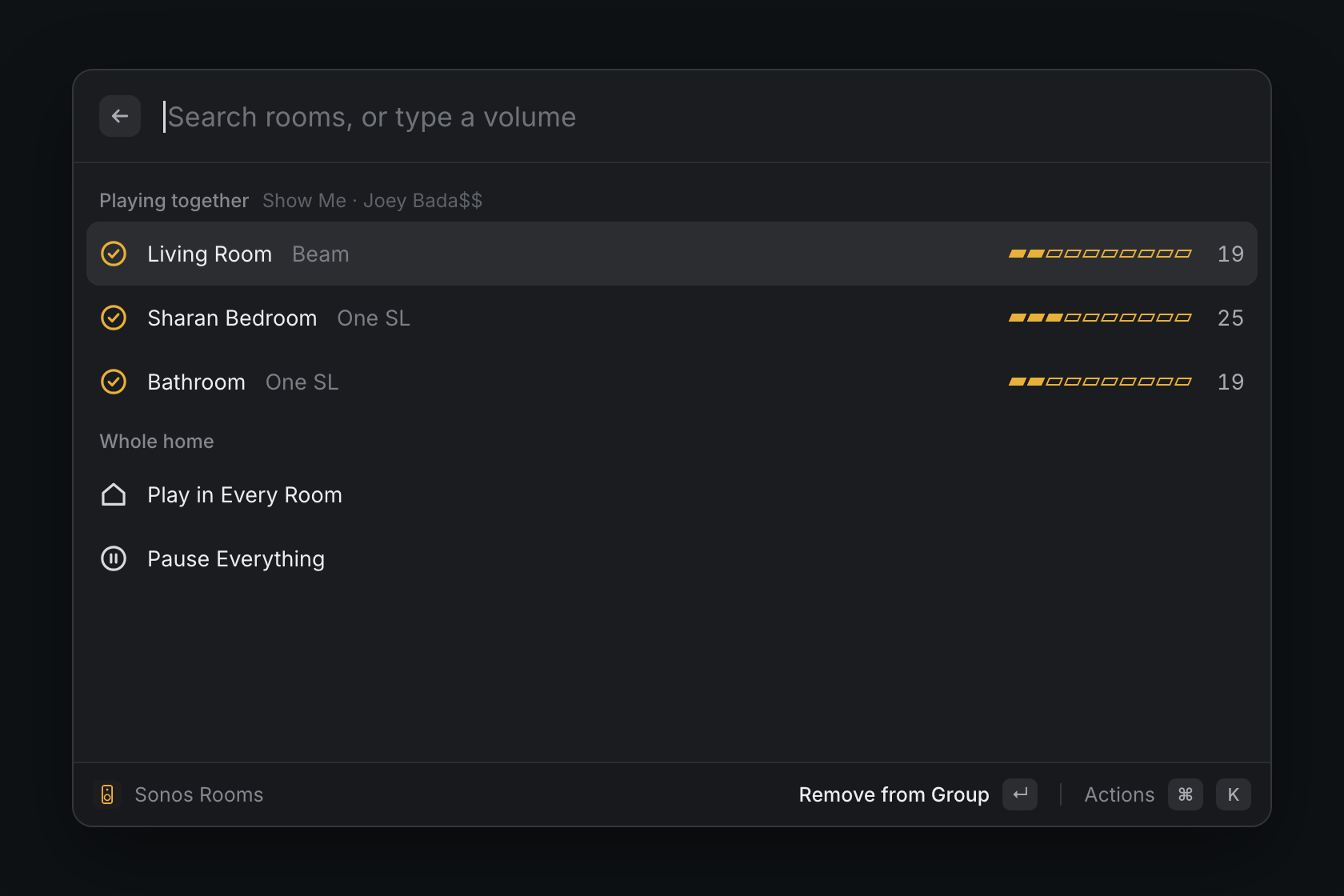
| Sonos Rooms | Shows each room, its volume, and what plays. |
| Volume Up / Down | Changes the volume of the rooms that play now. No window opens. |
| Set Volume | Sets those rooms to a number from 0 to 100. |
| Play or Pause | Pauses the music, or starts it again. |
| Toggle a room | Adds one room to the group that plays, or removes it. |
In the rooms list:
- Press Enter to add a room to the group, or to remove it.
- Press the right or left arrow key to change the volume of one room.
- Type a number, then press Enter, to set the volume.
Each command with no window can have a global hotkey. I then never open Raycast to change the volume.
How it works
Each Sonos speaker has a local control service (UPnP) on port 1400. The extension finds one speaker with SSDP, and that speaker lists all the others. The extension saves the addresses, so the next command is fast.
There is no Sonos account and no cloud. The Mac talks to the speakers on the Wi-Fi.
The hard part
A soundbar on its TV input always reports that it plays. The first version thus sent each volume change to the TV.
The rule now is that music wins over TV audio. The volume keys change the soundbar only when no music plays. If nothing plays, the commands use the group that played last.
Limits
- The Mac and the speakers must be on the same network.
- To pick new music, use the Sonos app.